
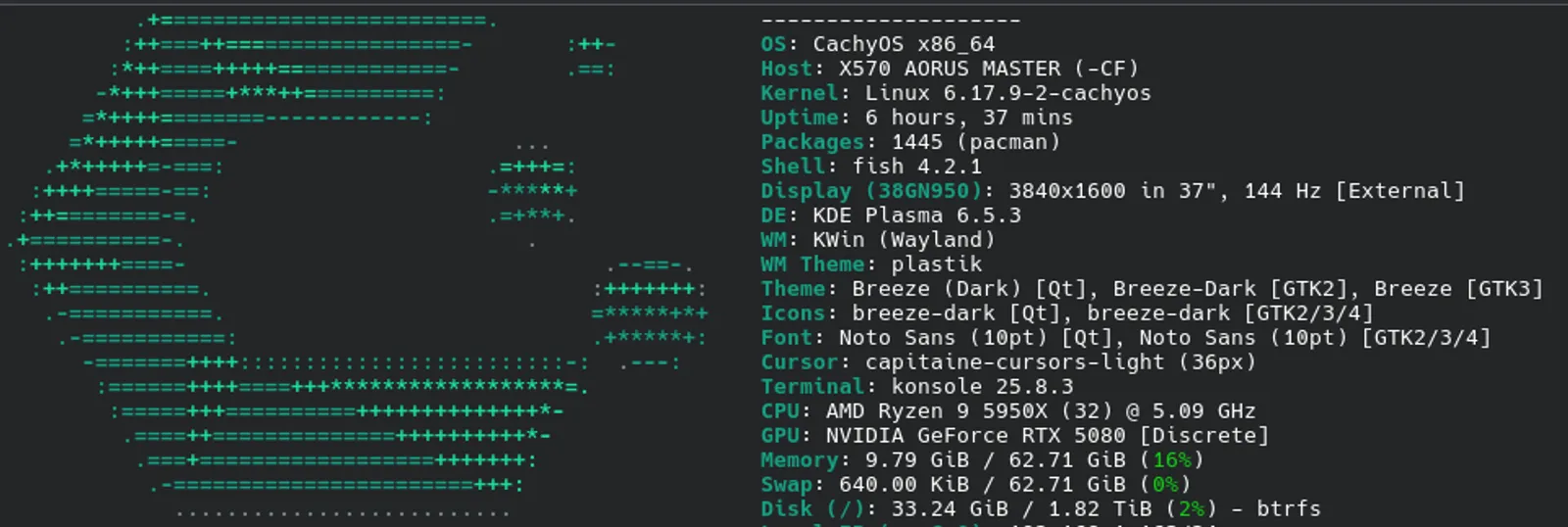

Day 1
While I am not new to linux command line and servers, I am new to a desktop experience. When I first started on this journey, I spent time researching what my needs are from a desktop experience perspective and can those functionalities run on modern day Linux distribution?
Here are my requirements:
- Optimized gaming experience. I play games like World of Warcraft and I need to make sure these run just fine.
- Google Chrome. This one is easy, by I need this browser working out of the box because she who will remain nameless, I need to make sure it fully works and she can use the computer.
- Printing. My HP printer in the basement needs to work.
- Teamviewer. I use it to help my parents a lot, this is critical that this piece works.
- Developer tooling. I need to make sure all my developer environments and tooling function.
These are just my basic requirements. Not a huge list so hopefully not something that will be complicated to run.
I spent many weeks going through different subreddits and watching various youtube videos about which distribution to pick. I ended up discovering something that I didnt know was a thing. There are immutable linux distributions like Bazzite and others. Now, I have not personally tried any of them, but I do find that concept fascinating. Unfortunately, I decided to go against that and ended up going with CachyOS.
I mainly chose CachyOS because it is based on Arch, which is what SteamOS is and Valve has been putting lot of support into that product. It being on bleeding edge has it’s own set of issues. I’m hopeful I wont run into anything major. Keep fingers crossed!
So I decided to keep my Windows 11 install on it’s own drive and install CachyOS on a new 2TB drive. Decided to use the default erase disk and let it rip. I did pick Lamine, I heard it has good snapshot support when packages get updated/installed which could potentially brick system. I set the CachyOS drive to be primary boot and if I ever need to get back to Windows 11, I can during bios boot, pick the other drive.
Few minutes into the setup and I was inside CachyOS operating system. First things first, added the “yay” package manager and with that, installed Google Chrome. Install went without a hitch, logged into my Googly account, it synced all my favorites and extensions nicely.
Next step, installed Teamviewer using yay:
yay -S teamviewerThen get the service running:
sudo systemctl enable --now teamviewerdOpen TeamViewer, login, boom done!
Next steps, follow similar processes to get Steam installed, Visual Studio, and other stuff.
So far so good.
I will say, I did spent quite a bit of time searching online how to do certain things. Installing World of Warcraft was tricky. I ended up using steam to add the battle.net installed and running it with Proton Experimental in compatibility. Once I had that done, Battle.net launcher allowed me to install World of Warcraft. Ended up copying all my AddOn stuff from Windows install so it’s all up and ready for me.
Lastly, I used the HP Device Manager that CachyOS installed during one of the extra packages options during installation. I opened the program, clicked Add Device, gave its the printer IP address and off to the races it went. Printing works just fine.
So, for Day 1, I have to say, it went as smooth as I hoped for. I may end up installing a few more games, but I am pretty much set as far as making any major changes.
Oh, one more thing, because I use nextdns.io for my DNS and advertising/tracking filtering, I did had to modify a resolved.config file and add the necessary NextDNS entries. After adding them and a quick reboot, I was up and running with traffic filtering.